SaneBox vs Clean Email for AI inbox triage (2026)
Disclosure: SaaS Duels may earn commissions from some tools it reviews. There are no affiliate links in this post: SaneBox and Clean Email links go to their official pricing pages. We only recommend inbox tools we’d connect for research and ops workflows. Opinions are our own.
Screenshots (public pages)
Also see: Gamma vs Canva · Gamma vs Beautiful.ai · Gamma alternatives · About · Contact
Short verdict
Pick SaneBox if your problem is tomorrow’s email: you want an adaptive AI email sorter that keeps VIP and work mail in the Inbox and quietly parks newsletters, FYIs, and low-priority noise—without writing dozens of filters.
Pick Clean Email if your problem is yesterday’s backlog: tens of thousands of old messages, storage pressure, and senders you still need to unsubscribe from in bulk. Ongoing triage is secondary; bulk cleanup is the job.
| Use case | Winner | Why |
|---|---|---|
| Ongoing AI inbox triage (new mail from today) | SaneBox | Behavioural sorting into Sane folders; Daily Digest; learn-by-training |
| Clear years of backlog / free storage | Clean Email | Smart Folders + bulk archive/delete/unsubscribe on existing mail |
| Best sanebox alternative for cleanup-first buyers | Clean Email | Different job, not a clone—use it when SaneBox won’t touch the pile |
| Follow-ups & “did they reply?” | SaneBox | Reminders / SaneNoReplies-style tracking (plan feature limits apply) |
| Real unsubscribe + block stubborn senders | Clean Email | Unsubscriber sends requests; Screener for unknowns |
| Multi-account freelancers (personal + client aliases) | Depends | SaneBox Dinner = 4 accounts/full features; Clean Email paid tiers scale to 5–10 with all features |
| Lowest-commitment trial of cleanup | Clean Email | Free tier (~1,000 cleaning actions) + 14-day premium trial, no card (per vendor help) |
| “Set and forget” adaptive sorter | SaneBox | Closest to best AI email sorter for continuous prioritisation |
Bottom line for freelancers and consultants in 2026: if your Inbox is noisy every morning, start with SaneBox. If your Inbox is a museum of unread mail, start with Clean Email. Many people need both—they don’t conflict, and they solve different time horizons.
See SaneBox pricing · See Clean Email pricing
Who each is for (and not for)
SaneBox is for you if…
- Client and colleague mail must stay visible while SaaS alerts, newsletters, and CC noise should not.
- You want a sanebox review-style outcome: fewer decisions at open-Inbox time, not a weekend deleting project.
- You’ll train for a week (move mistakes between Inbox and SaneLater / SaneNews).
- You want snooze, reminders, BlackHole, Do Not Disturb, and a Daily Digest.
- You use Gmail, Microsoft 365/Outlook, iCloud, Yahoo, Fastmail, or IMAP/Exchange and want sorting inside those folders (SaneBox doesn’t replace your client).
SaneBox is probably not for you if…
- The pain is historical bulk delete/archive of 50k+ messages (use a cleanup-first tool).
- You refuse third-party mailbox permissions (see privacy below).
- Native Gmail filters/Categories already “good enough.”
- You’ll need more than two optional features on Snack—limits will frustrate you.
Clean Email is for you if…
- You need a sanebox alternative when the job is emptying the attic, not sorting tomorrow’s mail.
- You want Smart Folders / Cleaning Suggestions, bulk actions, Keep Newest, Auto Clean, and a real Unsubscriber.
- You manage several addresses in one cleanup UI.
- You’re fine starting free (capped actions), then upgrading for Screener / Auto Clean / unlimited cleaning.
Clean Email is probably not for you if…
- You want hands-off adaptive prioritisation with minimal rules—that’s SaneBox’s core job.
- You need reply tracking / “nudge me if they don’t answer.”
- You expected an AI assistant that drafts replies or searches message bodies. Neither tool does that; both lean on headers/metadata.
Setup / workflow walkthroughs
Screenshots: capture from public marketing pages and free/trial UI before publish. Do not use paid-only panels unless labelled. Slots marked below.
SaneBox: connect → train → live with the Digest
- Sign up and connect your primary inbox (OAuth for Gmail/Microsoft where available; IMAP or app-specific passwords elsewhere).
- Wait for folders/labels such as SaneLater and SaneNews. Mail stays on your server; SaneBox asks the provider to move messages.
- Train for a few days. Use Inbox normally; drag mistakes (newsletter → SaneNews, VIP out of SaneLater → Inbox).
- Enable the Daily Digest and skim parked mail instead of checking every folder.
- Add only features you’ll use (Snack/Lunch allotments apply): BlackHole, Snooze, Reminders / no-reply tracking, Do Not Disturb.
- Keep your existing client—you’re changing where mail lands, not which app you open.
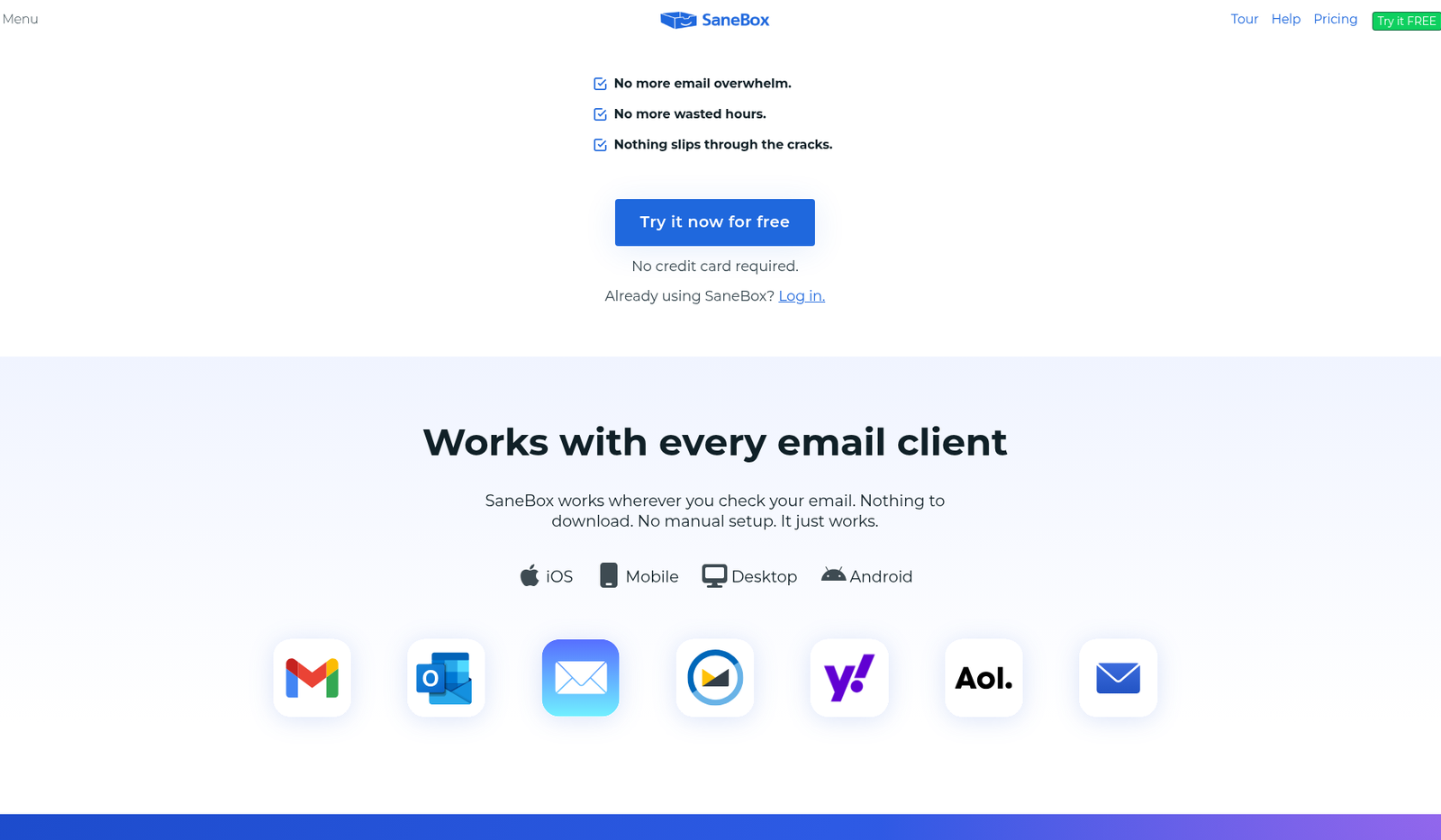
Fig. SaneBox public homepage: supported clients (Gmail, Outlook, Apple Mail, and more).
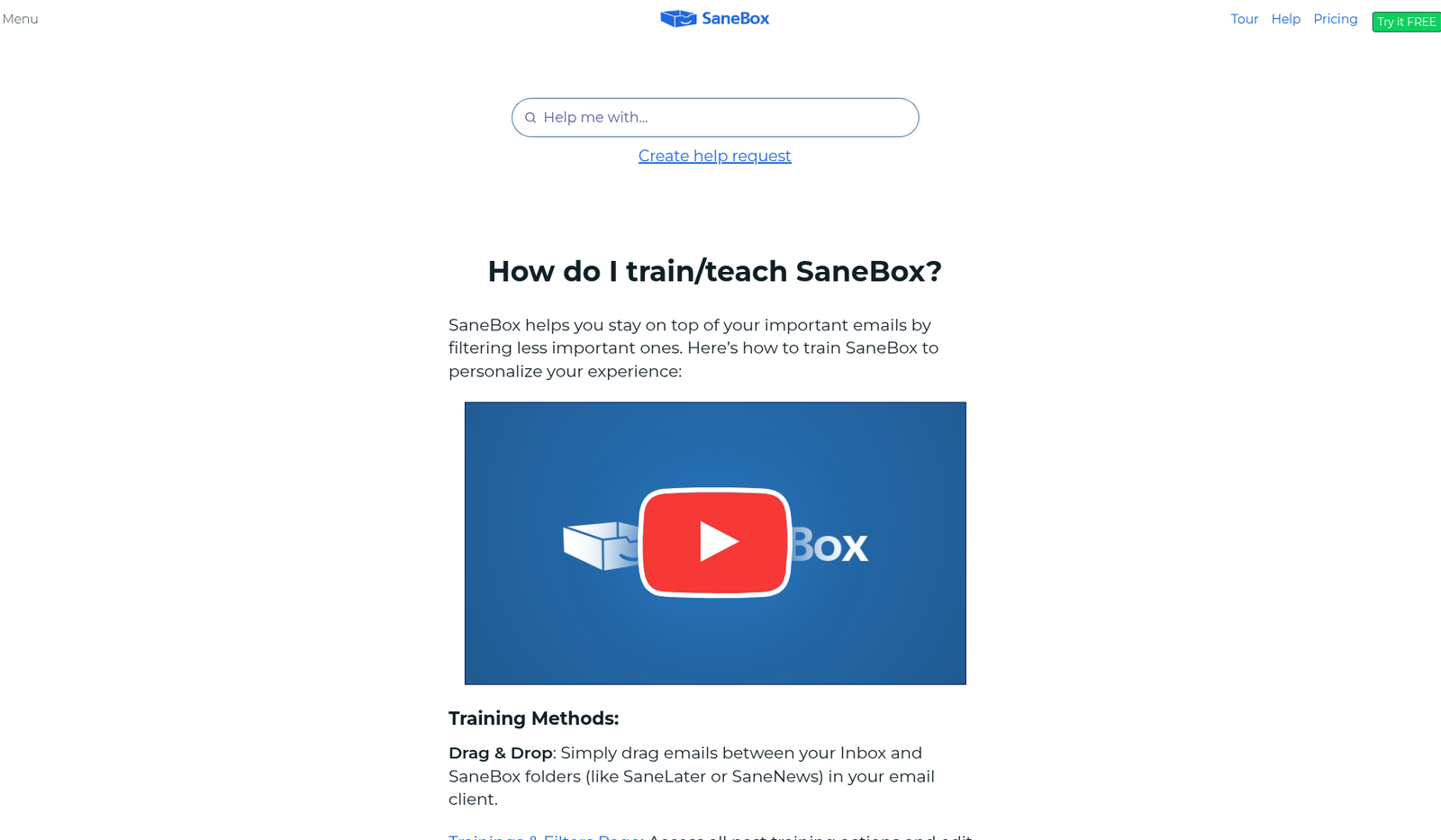
Fig. Official help UI: Inbox vs @SaneLater in Gmail (message bodies blurred in source).
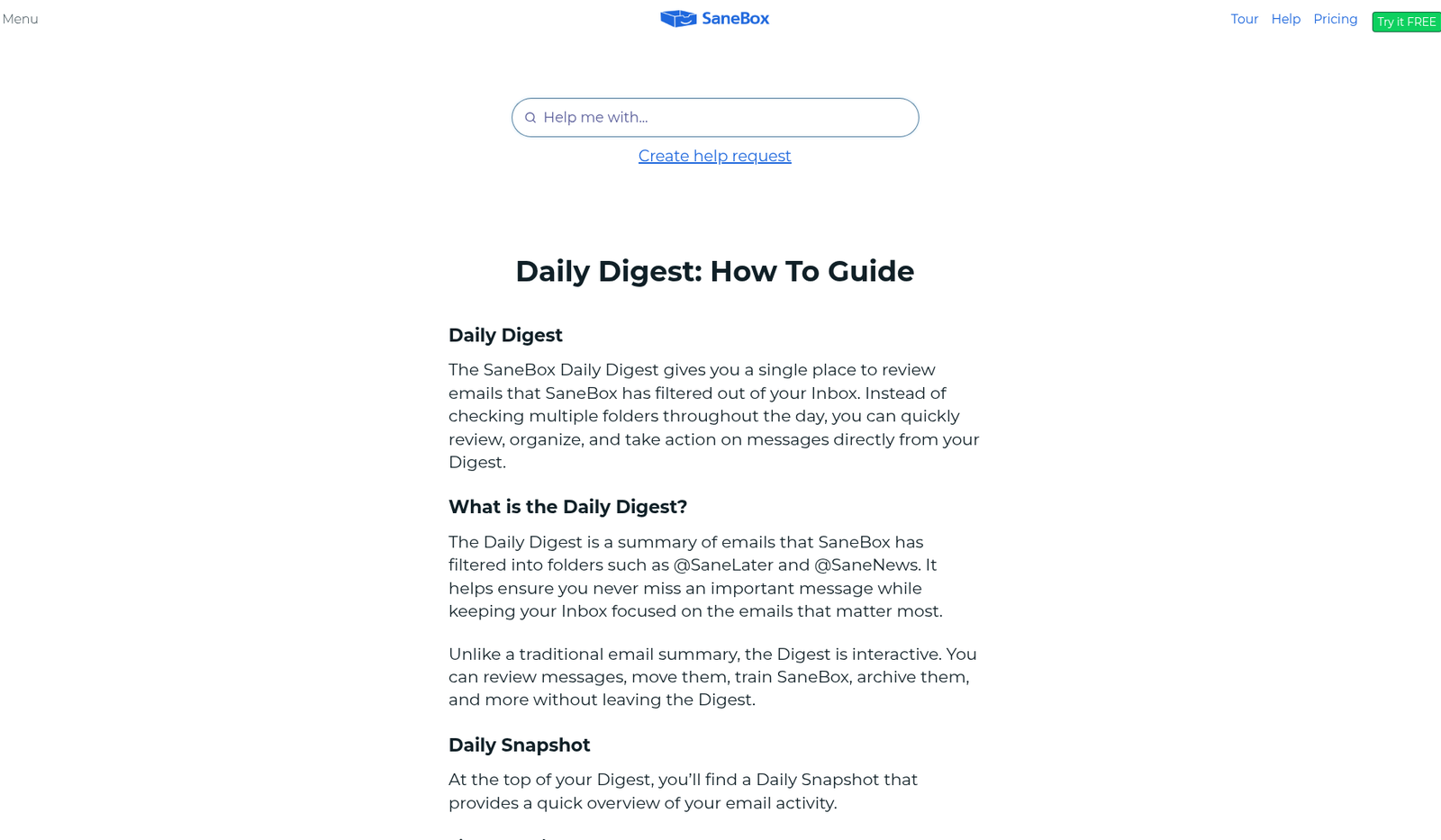
Fig. Official Daily Digest / Daily Snapshot help screenshots.
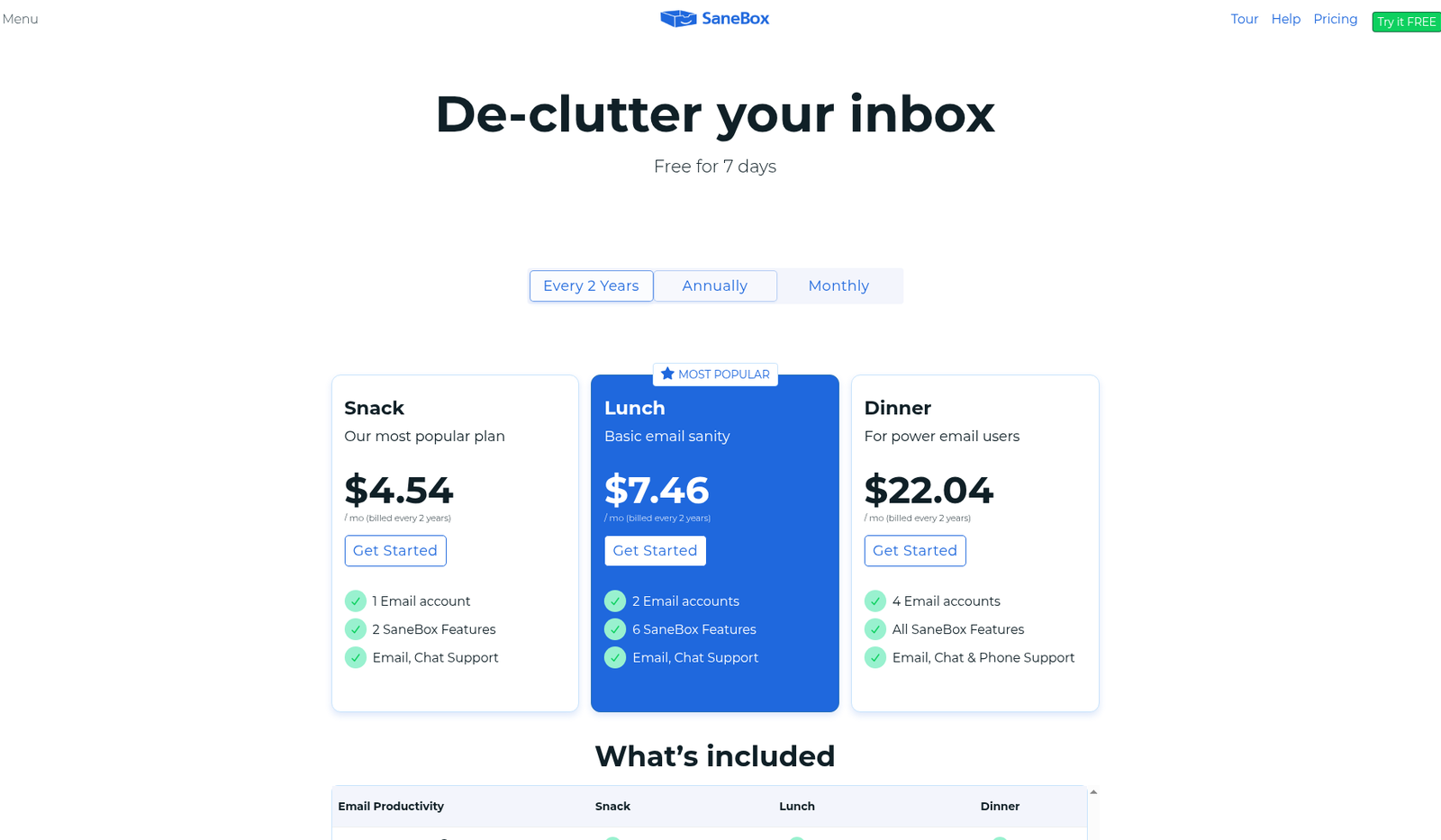
Fig. Public pricing matrix (Snack / Lunch / Dinner) — live feature toggles are behind login.
Practical tip: Correct 10–20 mis-sorts in week one. If you never open SaneLater, you’re paying for a folder museum.
Clean Email: connect → Smart Folders → bulk clean → Auto Clean
- Create an account and connect mailboxes (OAuth for Gmail/Microsoft/Yahoo/AOL where offered; app-specific password for iCloud/Fastmail; IMAP otherwise).
- Let indexing finish (headers/metadata). Large boxes take longer—safe to leave running.
- Open Cleaning Suggestions / Smart Folders, select a sender or category group, then archive, delete, label, or move in bulk.
- Use Unsubscriber on newsletter piles; block senders that ignore requests.
- Try Keep Newest for noisy-but-useful senders.
- During the premium trial, test Screener and Auto Clean so the backlog doesn’t refill.
- Return to your normal mail app—Clean Email is a management layer.
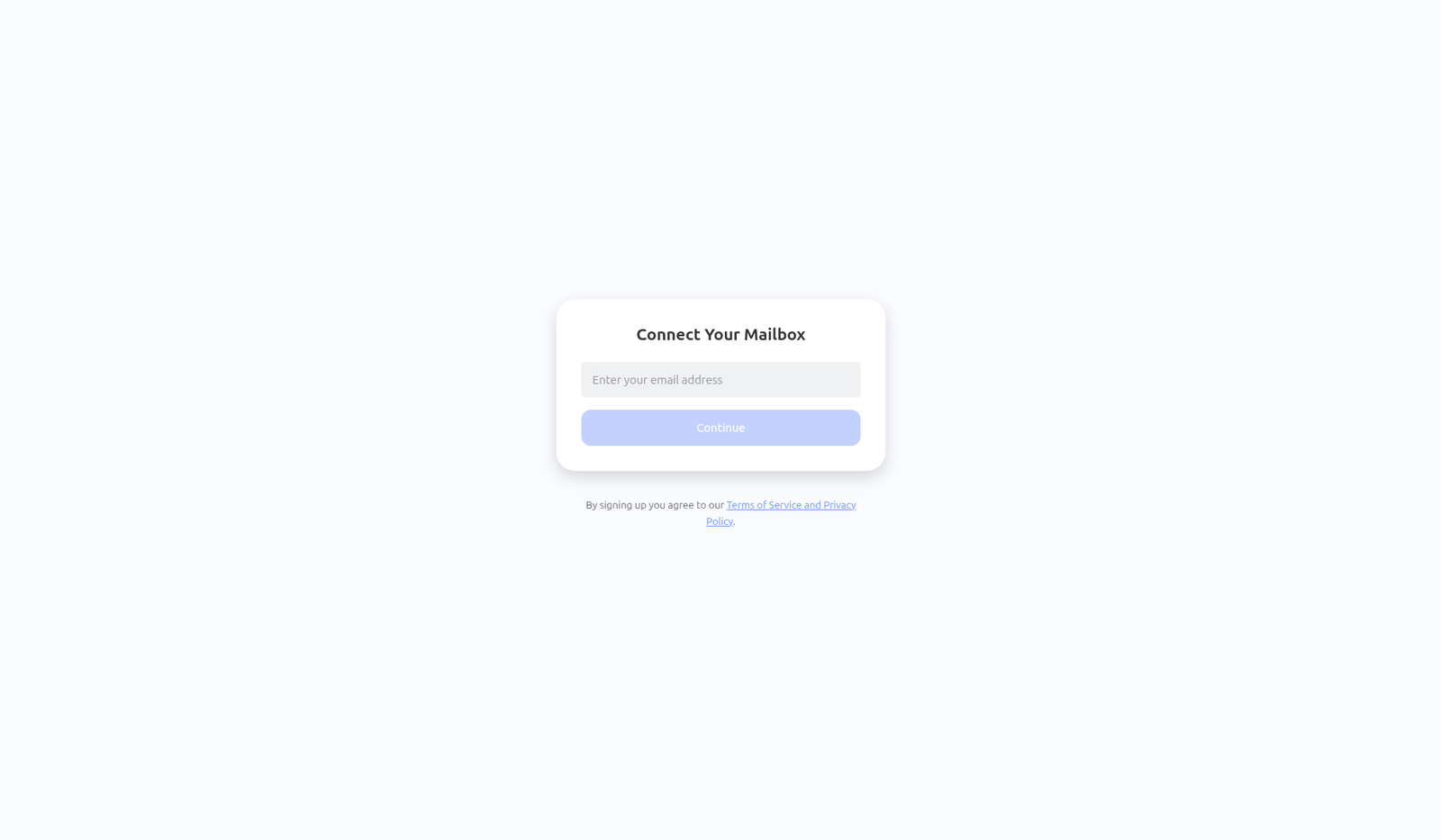
Fig. Clean Email public connect / login step.
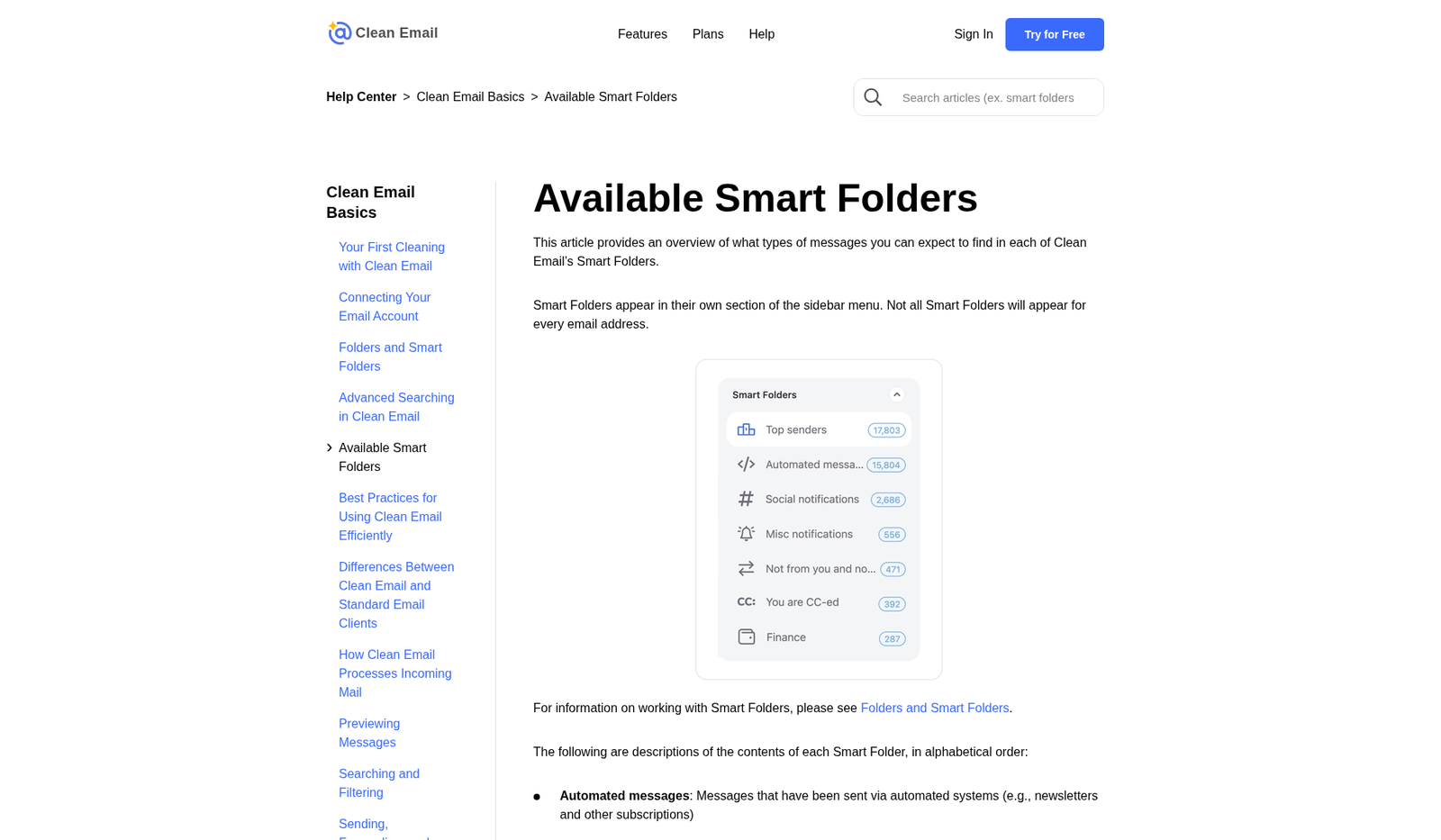
Fig. Public help art: Smart Folders and Cleaning Suggestions.
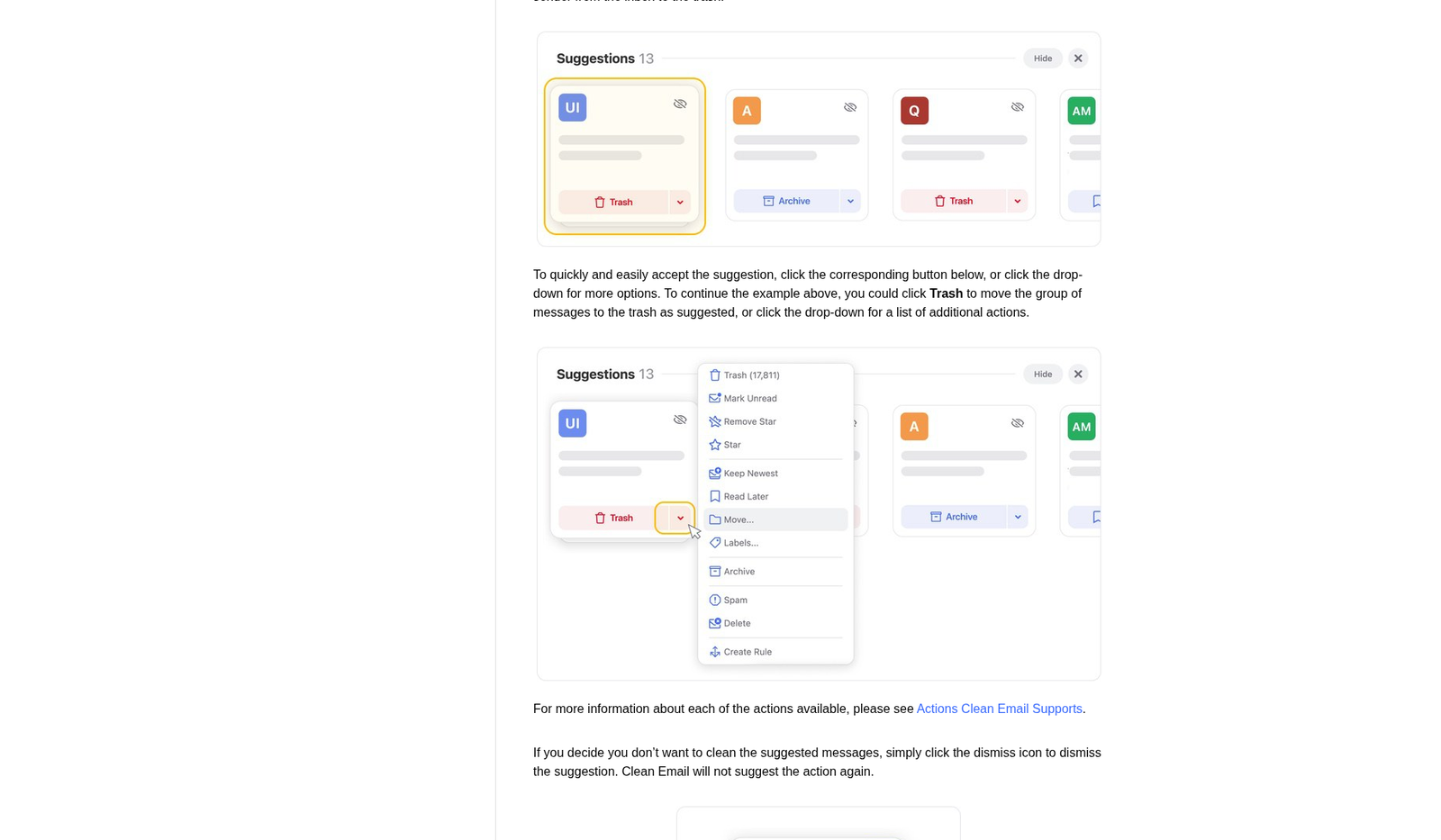
Fig. Public help art: bulk actions on a sender group.
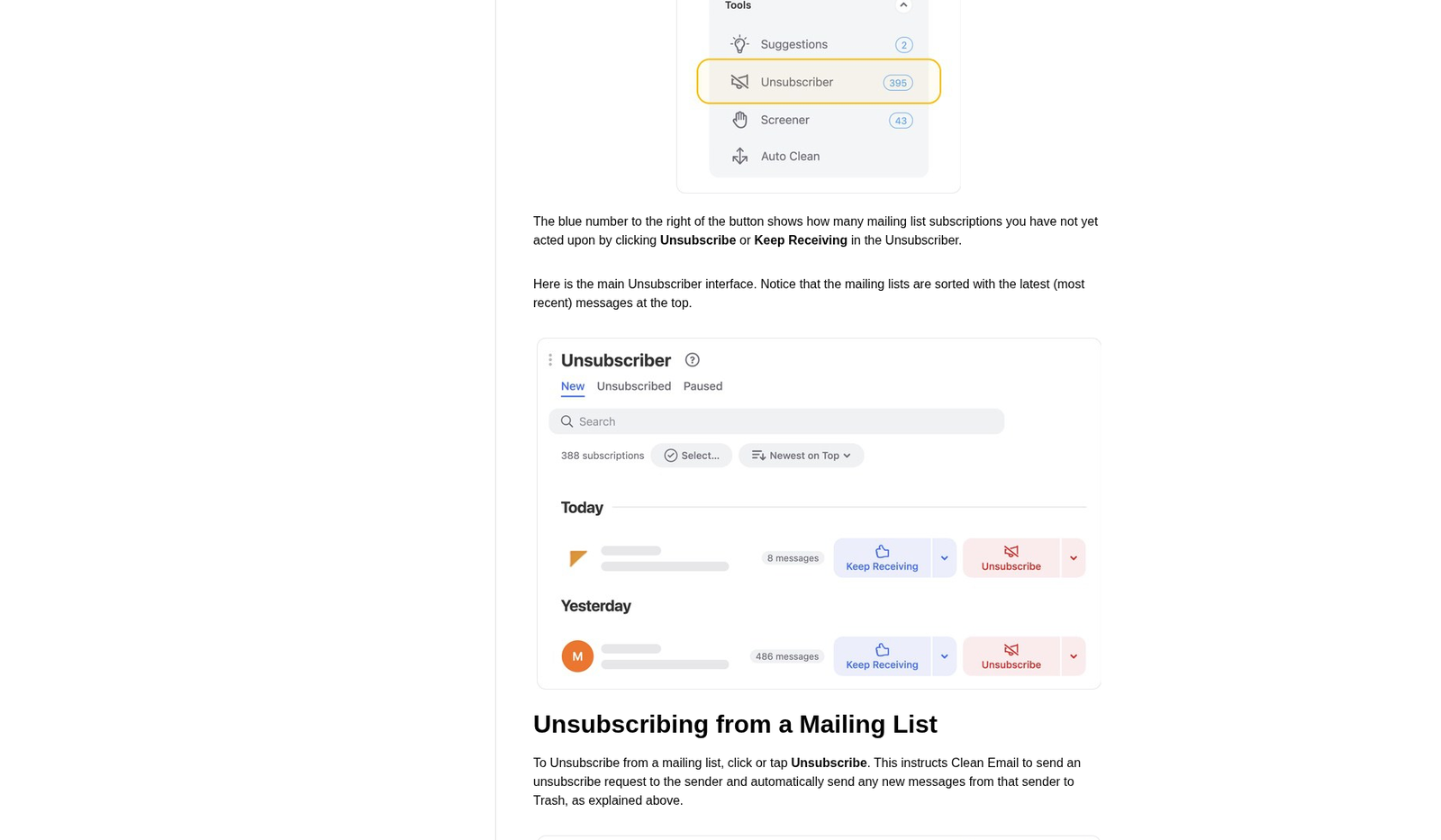
Fig. Public help art: Unsubscriber and Screener (senders redacted).
Practical tip: Archive “might need later”; delete only true junk. Freelancers regret nuking old invoices during a cleanup high.
Honest workflow contrast
| Step | SaneBox | Clean Email |
|---|---|---|
| Day-one value | Quieter new Inbox | Visible dent in old pile |
| Teaching style | Behaviour + folder moves | Explicit rules + bulk choices |
| Ongoing maintenance | Digest + occasional training | Auto Clean + periodic Smart Folder sweeps |
| Replaces mail app? | No | No |
Pricing & limits (public pages, researched Oct 2026)
Prices change by region, tax, promotions, and billing period. Figures below are US-oriented public / third-party observed list prices researched 22 Oct 2026 (Asia/Hong_Kong). Re-verify on sanebox.com/pricing and clean.email/plans on publish day. Uncertain facts are labelled.
Publish-day pricing re-check (25 Oct 2026 Asia/Hong_Kong): On sanebox.com/pricing, live USD matched our table: monthly $9.49 / $15.99 / $42.99; annual effective ~$5.42 / $9.08 / $26.58; every-2-years effective ~$4.54 / $7.46 / $22.04 (Snack/Lunch/Dinner). Marketing still claims a 7-day free trial (other help still mentions 14 — keep uncertain). On clean.email/plans, the checkout UI rendered HKD (not USD) even with a USD currency query: monthly about HK$81 / HK$162 / HK$243 for 1/5/10 accounts; yearly promo about HK$243 / HK$406 / HK$812. Treat Clean Email USD list figures below as still uncertain (region/currency dependent).
SaneBox (Snack / Lunch / Dinner)
Official marketing page (Oct 2026 research) advertises biyearly “from” rates roughly $2.04 / $3.50 / $9.96 per month equivalent for Snack / Lunch / Dinner when paid every two years, with annual and monthly options higher. A third-party authenticated capture (Volticen, prices observed 27 Aug 2026, article updated Sep 2026) reported higher USD totals:
| Plan | Accounts | Feature allowance | Monthly (observed) | Annual total (observed) | Every 2 years (observed) |
|---|---|---|---|---|---|
| Snack | 1 | Pick 2 features | $9.49/mo | $65/yr (~$5.42/mo eff.) | $109 / 2 yr (~$4.54/mo eff.) |
| Lunch | 2 | Pick 6 features per account | $15.99/mo | $109/yr (~$9.08/mo) | $179 / 2 yr (~$7.46/mo) |
| Dinner | 4 | All features | $42.99/mo | $319/yr (~$26.58/mo) | $529 / 2 yr (~$22.04/mo) |
Also consistent across sources: optional features are per connected account on Snack/Lunch; Dinner includes the full set; educational / nonprofit / government ~25% off (claim via support during trial); extra accounts beyond Dinner via sales.
Trial: Public pages disagree—help content mentions 7 days; pricing FAQ and some signups show 14 days. Third-party testing observed both. Trust the expiry date in your account. Trial typically unlocks all features for up to 4 accounts.
Uncertain / re-check on publish: Exact live USD (marketing “from” vs authenticated table), whether your region matches US list, tax, and whether your trial is 7 or 14 days. WebFetch of sanebox.com/pricing returned thin HTML (likely JS-rendered)—do not treat marketing snippets alone as checkout truth.
Clean Email (free + account-count plans)
Paid plans are sold mainly by number of email accounts; vendor copy emphasises all premium features on paid tiers (not à la carte like SaneBox Snack/Lunch).
| Plan | Billing (US-oriented, Sep–Oct 2026 public research) | Notes |
|---|---|---|
| Free | $0 | Up to about 1,000 cleaning actions; premium features (Screener, Auto Clean, sender settings, etc.) limited / trial-gated |
| 1 account | About $9.99/mo or $29.99/yr | Common public list / App Store IAP figures |
| 5 accounts | Listed on plans UI; exact monthly/yearly not fully confirmed in our live fetch (page partially dynamic) | App Store shows multiple 5-account SKUs—treat as uncertain |
| 10 accounts | About $29.99/mo or $99.99/yr | Cited by third-party pricing roundups checking clean.email ~20 Sep 2026 |
Trial: 14-day premium trial, no credit card (vendor help), including limited unsubscribe actions during trial. 30-day money-back mentioned by some pricing roundups—confirm on checkout. Cancel / change plan from Subscription settings; you generally cannot downgrade below accounts currently in use.
Uncertain / re-check: Exact 5-account monthly and yearly USD on clean.email/plans (our fetch showed plan picker UI without reliable dollar extraction); App Store vs web pricing differences; regional taxes.
Value take for freelancers
- Noisy work inbox: SaneBox Lunch (or Snack if two features suffice) after a good trial.
- Multi-year backlog / storage warnings: Clean Email yearly on 1 account often beats a month of manual deletes.
- Both problems: Clean Email first, then SaneBox. Prefer monthly until the habit sticks—SaneBox annual/2-year discounts are steep but front-load cash.
See SaneBox pricing · See Clean Email pricing
Privacy / mailbox access (be honest)
Both tools must act on your mailbox. That means OAuth scopes or stored IMAP credentials with permission to read metadata and move/delete/label messages. If that sentence makes you uncomfortable, stop here—native filters are safer psychologically even if they’re weaker.
What both vendors claim
| Topic | SaneBox (vendor help / privacy messaging) | Clean Email (vendor privacy / connect docs) |
|---|---|---|
| Message bodies | States it analyses headers, does not download bodies by default; optional features (e.g. Attachments / certain snooze/reminder paths) can touch more | Privacy policy states bodies are not downloaded/accessed in their systems; some help/connect copy mentions temporary download for previews / Auto Clean—docs have disagreed; treat as verify before trust |
| Credentials | Encrypted; servers described as isolated from public inbound internet | OAuth preferred; IMAP passwords stored when required; payments via third parties (e.g. FastSpring / app stores) |
| Human access | Terms/help emphasise no routine human reading of mail content | Policy: humans generally don’t read Google user data except narrow cases (consent, security, law, aggregated ops) |
| Revocation | Disconnect in SaneBox + revoke OAuth at Google/Microsoft | Same: revoke in provider security settings + delete Clean Email account/index |
Practical risk controls (recommended)
- Start with a non-critical mailbox before connecting client domains with contracts/NDAs.
- Prefer OAuth (or app-specific passwords for Apple/Fastmail) over raw IMAP passwords.
- Read the exact Google/Microsoft permission screen—Gmail often grants broad read/send/delete capability even if the product mainly moves mail. That scope is the blast radius.
- Disable optional SaneBox features that expand content access if unused (Attachments, some snooze/reminder paths).
- After testing, revoke unused trials; confirm leftover labels and that sorting stops.
- Check employer policy before connecting work mail; when unsure, personal addresses only.
Neither product is end-to-end private email. Both are productivity SaaS with privileged mailbox access—factor that into any sanebox vs clean email decision.
FAQ (People Also Ask style)
Is SaneBox better than Clean Email?
For continuous AI inbox triage, usually yes. For bulk backlog cleanup and unsubscribe, Clean Email usually wins. “Better” = which pain you have this month.
What is the best AI email sorter in 2026 for freelancers?
If “AI sorter” means adaptive prioritisation of new mail, SaneBox is the closer match. If you meant “AI that drafts replies or searches body text,” look elsewhere (Shortwave, Superhuman-class tools, etc.)—neither SaneBox nor Clean Email is an AI writing assistant.
Is Clean Email a good SaneBox alternative?
Yes as an alternative approach, not a feature twin. Choose Clean Email when cleanup and rules matter more than behavioural triage. Some users run Clean Email once, then SaneBox ongoing.
Does SaneBox read my email?
SaneBox states it works from headers and does not store full bodies by default. Optional features can increase access. Permissions still allow broad mailbox actions—read their privacy/help pages and the OAuth prompt yourself.
Does Clean Email work with Gmail and Outlook?
Yes—Gmail / Google Workspace, Microsoft / Outlook / Hotmail, Yahoo, AOL, iCloud, Fastmail, and general IMAP are commonly supported. Confirm the current list during connect.
How much does SaneBox cost vs Clean Email?
Ballpark (US, Oct 2026 research): SaneBox ~$9–43/mo monthly by plan (less on annual/2-year); Clean Email ~$10/mo or ~$30/yr for one account. Re-check live—SaneBox marketing “from” rates and authenticated totals have disagreed.
Will either tool delete email without asking?
Only when you (or Auto Clean / BlackHole-style rules) allow it. Prefer archive first; review automation before enabling aggressive deletes.
Can I use SaneBox and Clean Email together?
Yes—Clean Email for backlog, SaneBox for daily sorting. Watch overlapping rules on the same senders.
Final recommendation
If you only buy one habit in 2026: choose SaneBox when every weekday Inbox is the enemy; choose Clean Email when the archive is the enemy. For most drowning freelancers and consultants, the honest sequence is Clean Email trial → clear the pile → SaneBox trial → keep the quieter Inbox—and cancel whichever didn’t earn its fee within two weeks.
See SaneBox pricing · See Clean Email pricing
Disclosure (again): this post has no affiliate links today. If that changes, we’ll label the link clearly. Always confirm current pricing on each vendor’s site.